Restate 1.6: more control, better cloud support, less tuning
Restate Team
Today we are announcing Restate 1.6. This release builds on the work started in Restate 1.5, and gives you even more control over your invocations: pause and resume them manually, restart them from any point in their journal, and move them between deployments. We've also made it simpler to run Restate across AWS, Azure, and GCP, and reduced the operational overhead with smarter defaults and automatic memory management.
Better invocation control
Pause and resume invocations
Sometimes retries are counter-productive. Maybe an invocation is stuck retrying an HTTP call to a decommissioned endpoint. Or invocations are endlessly retrying a database read, while the database is down for maintenance.
With Restate 1.6, you can manually pause any running or retrying invocation whenever you want, while preserving its journal. This gives you time to fix the root cause and optionally deploy a fix. When you're ready, resume it on the same deployment or on the new one.
Cherry on top: you can now also do batch operations to pause, resume, cancel, or purge hundreds of invocations in a single command.
Restart invocations while preserving progress
Restate 1.5 already gave you the ability to restart an invocation from scratch. But sometimes you don't want to start over. For example, an insurance claim workflow might have collected three human approvals before failing on a bug in the reimbursement step. Once you deployed a fix, you don't want to ask those reviewers again. With restart-from-prefix, you can restart an invocation from a specific journal entry, for example from the reimbursement step, while preserving the approvals:
Better error reporting in the UI
The invocation overview in the Restate UI is one of the most loved features of Restate. It gives you detailed insight into your application and is extremely useful when debugging.
Previously, transient error messages disappeared once they got resolved. With Restate 1.6, they are preserved in the journal even after the invocation has completed, with full details: error codes, messages, stacktraces, and exactly which command caused the failure.
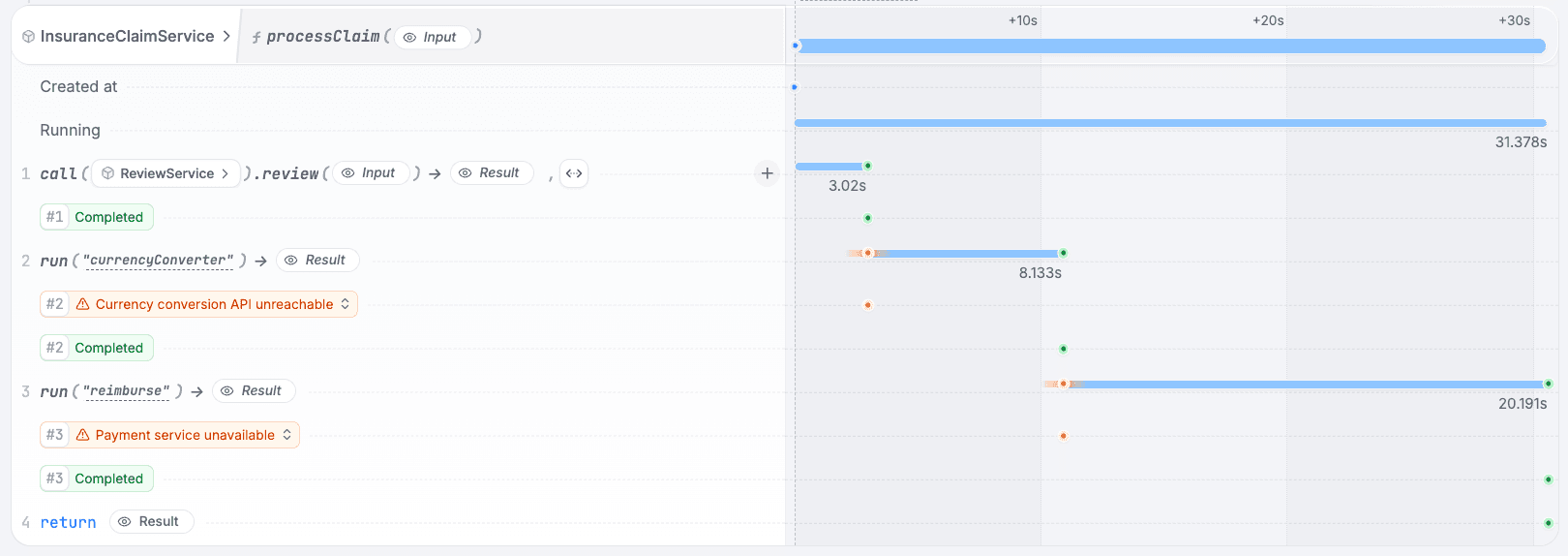
Running Restate Across Clouds
Restate is designed to run efficiently wherever you need it. Restate 1.6 includes native integrations with cloud services to make it easier to deploy to Azure, and Google Cloud.
Support for Azure Blob Storage and Google Cloud Storage for snapshots
You can now store snapshots can in Azure Blob Storage and Google Cloud Storage. No S3-compatible proxies needed anymore. Just use native authentication with Azure AD or GCP service accounts.
# Azure: Store snapshots in Blob Storage
[worker.snapshots]
destination = "az://my-container/snapshots"

# GCP: Store snapshots in Cloud Storage
[worker.snapshots]
destination = "gs://my-bucket/snapshots"
Automatic Memory Management
Memory configuration used to require careful tuning. How many partitions will you run? How much memory should each get? With 1.6, you don't have to think about it.
Restate now automatically rebalances memory across all active partitions. On Linux containers, Restate detects your cgroup memory limits and warns you if RocksDB is misconfigured, before you hit an OOM.
We've also optimized the defaults: RocksDB now uses 2 GiB (down from 6 GiB) and the query engine uses 1 GiB (down from 4 GiB). Better performance, smaller footprint, less tuning required.
More efficient snapshots and log trimming
Snapshots are critical for fast recovery and efficient log trimming. In 1.6, we’ve added:
- Time-based snapshot intervals based on wall-clock time, not just record count. This ensures regular snapshots even during quiet periods when few records are being written.
- Automatic retention keeps a fixed number of recent snapshots and deletes older ones automatically. No more need for cleanup scripts or lifecycle policies.
- Log trimming now happens immediately when durability conditions are met, instead of hourly, reducing storage usage more quickly. You can configure the durability mode to control log retention vs. recovery flexibility.
Monitor your clusters with Grafana dashboards
Restate now provides two pre-built Grafana dashboards to monitor your Restate clusters in production:
| Dashboard | What You'll See |
|---|---|
| Restate: Overview | Cluster health, resource usage, ingress traffic, processing throughput |
| Restate: Internals | Deep-dive into Bifrost, Invoker, RocksDB, partition processors |
Both dashboards support multi-node clusters with per-node breakdowns and are linked together for easy navigation.
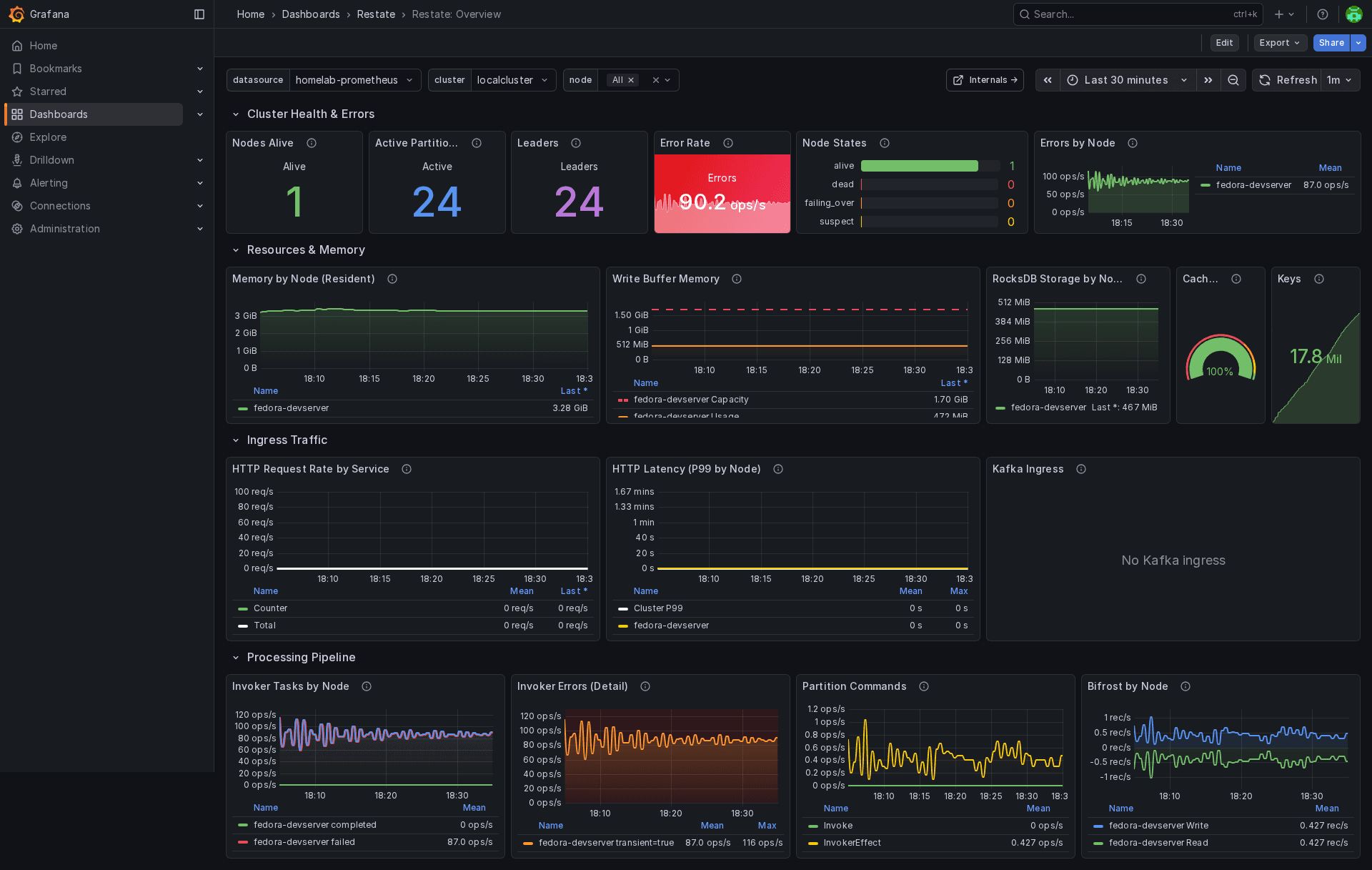
The Grafana dashboards give you visibility into cluster health, throughput, and internals.
Safer Deployment API
We’ve improved the deployment API to make your CICD pipelines more robust:
-
force=falseby default: The deployment registration API now defaults toforce=false, protecting you from accidentally overwriting production deployments. If you need to overwrite, you have to explicitly say so. -
Idempotent registration: Re-registering the same deployment now returns HTTP 200 instead of an error. Your deployment scripts won't fail on retries, and your CI/CD pipelines won't break when they run twice.
-
New
breakingflag: When you intentionally need to make breaking changes (like changing a service type), use thebreakingflag. You stay protected against accidental breaks while having an escape hatch when you need it. -
Update Deployment API: Need to rotate an expired token or update an endpoint? The new
PATCH /deployments/{id}endpoint lets you update deployment settings without re-registering entirely.
Build with Restate
The fastest way to get started is with Restate Cloud. Try it for free and have a managed instance running in minutes. Or follow the quickstart guide to run Restate locally.
Questions about the upgrade path or feedback on these features? Join us on Discord or Slack.
Restate is open, free, and available at GitHub. Star the project if you like what we're doing and tell your friends about it!
Release notes
This release includes some breaking changes, including rejection of deprecated SDK versions. See the full release notes for details and migration guidance.
Keep reading
Restate 1.7: End-to-end Flow Control for your Agents and Backends
Restate 1.7 introduces flow-control primitives to protect your services, ships a new Restate UI, and revamps tracing for long-running workloads.
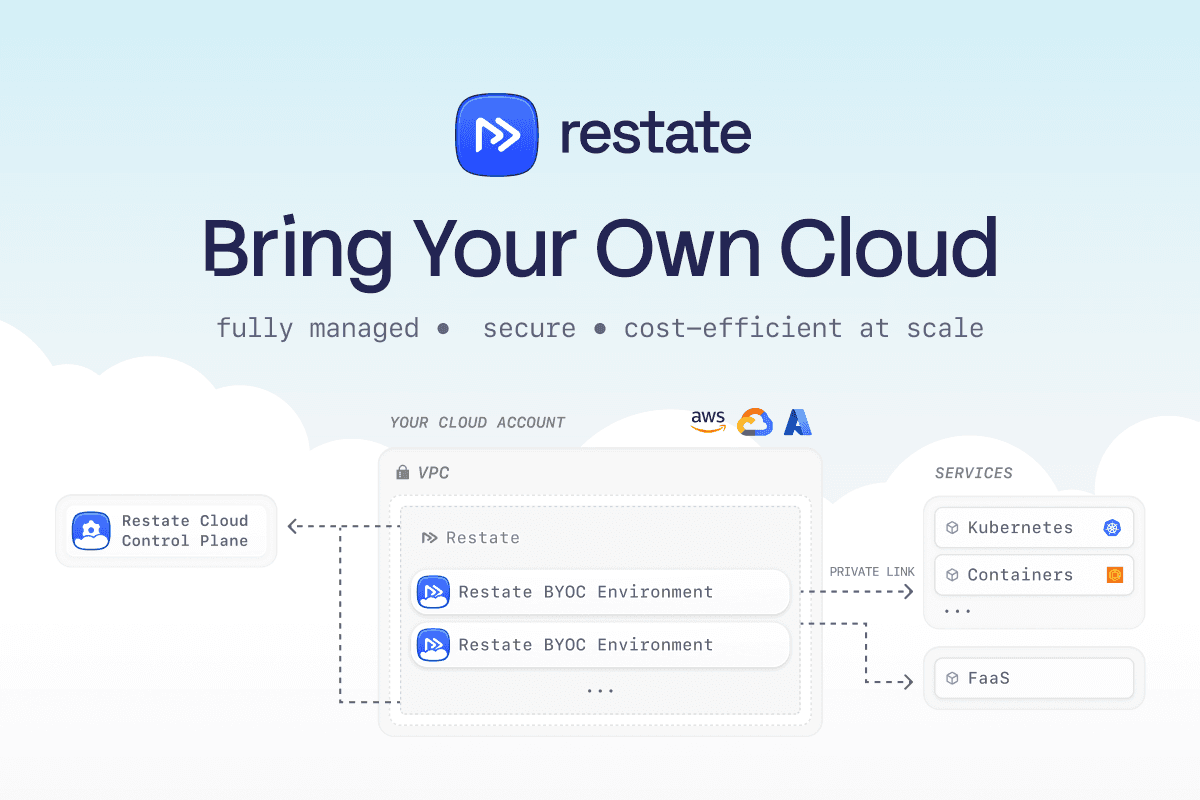
Announcing Restate BYOC
Announcing Restate BYOC: fully managed Restate deployed into your own cloud account and VPC. Private, secure, and up to 10x cheaper at high volumes.

Restate Cloud: SOC 2, Enterprise SSO, and HIPAA
Restate Cloud adds SOC 2 compliance, enterprise SSO, RBAC, client-side encryption, and HIPAA support for security and compliance.